
The Product · Task Management
Nothing Falls Through the Cracks.
A robust team task manager built into the Merciglobal platform. Assign work with priorities and due dates, let automatic reminders and overdue alerts do the chasing, and keep every file and conversation attached to the task itself.
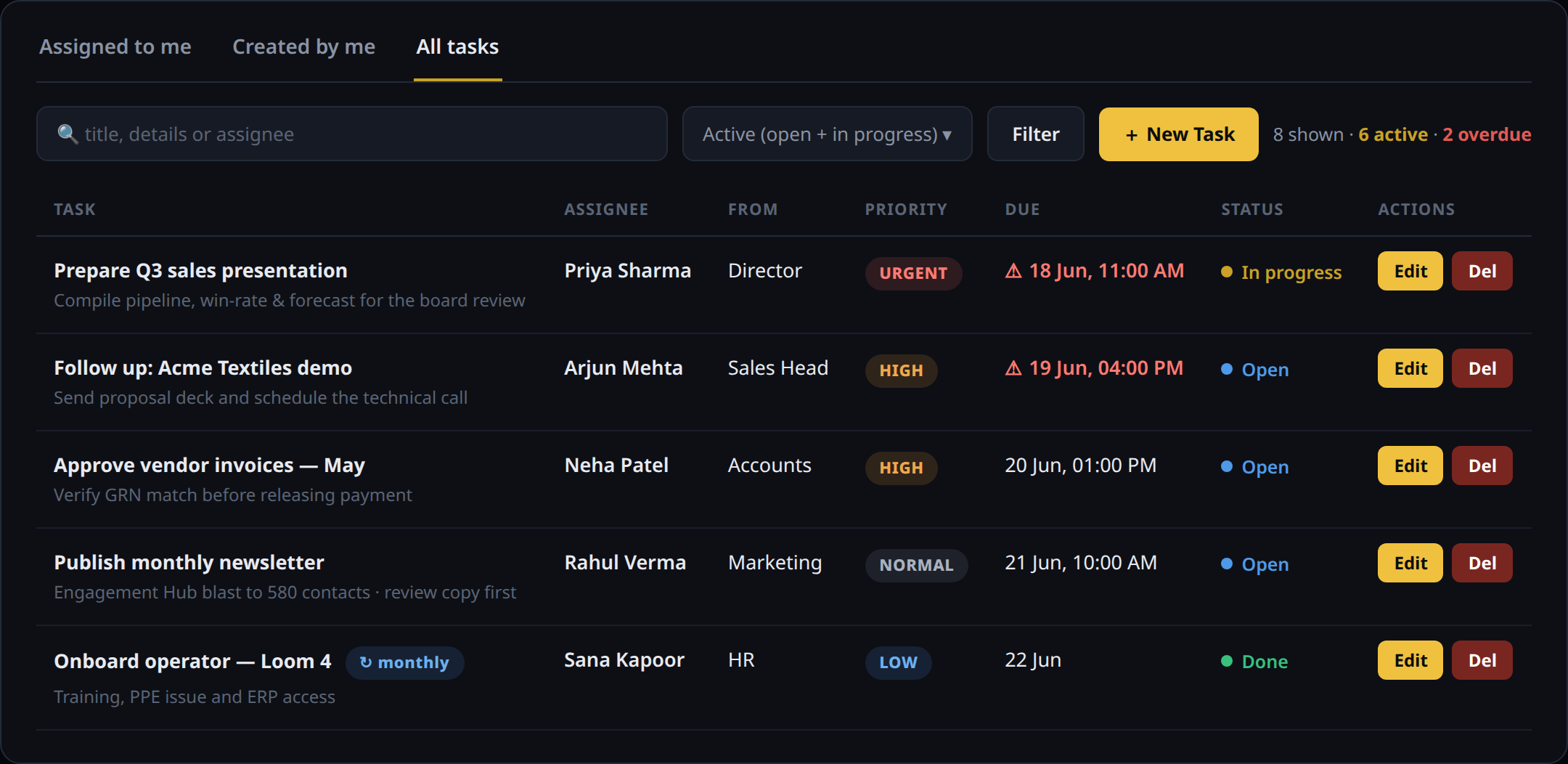
How it works
From a one-line task to a closed loop.
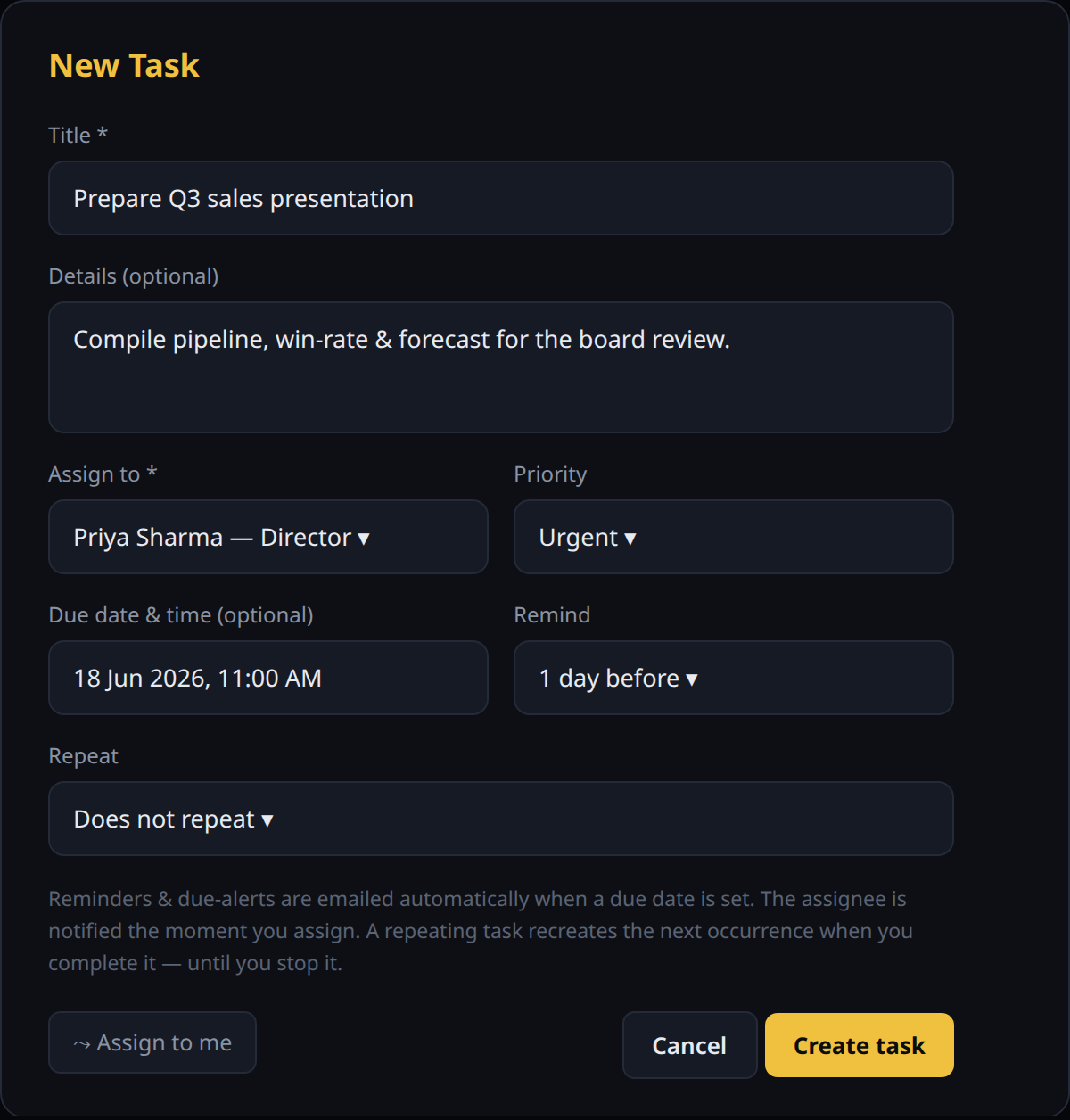
Create & assign
A task takes seconds to raise.
Give it a title, add any context, pick an owner and a priority. Set a due date and a reminder lead-time, and choose whether it repeats. The assignee is emailed the instant you hit create.
- Assign to a colleague — or to yourself in one tap
- Priority from Low to Urgent
- Due date, reminder lead-time & repeat schedule
- Helpful guidance right in the form
Context that travels with the work
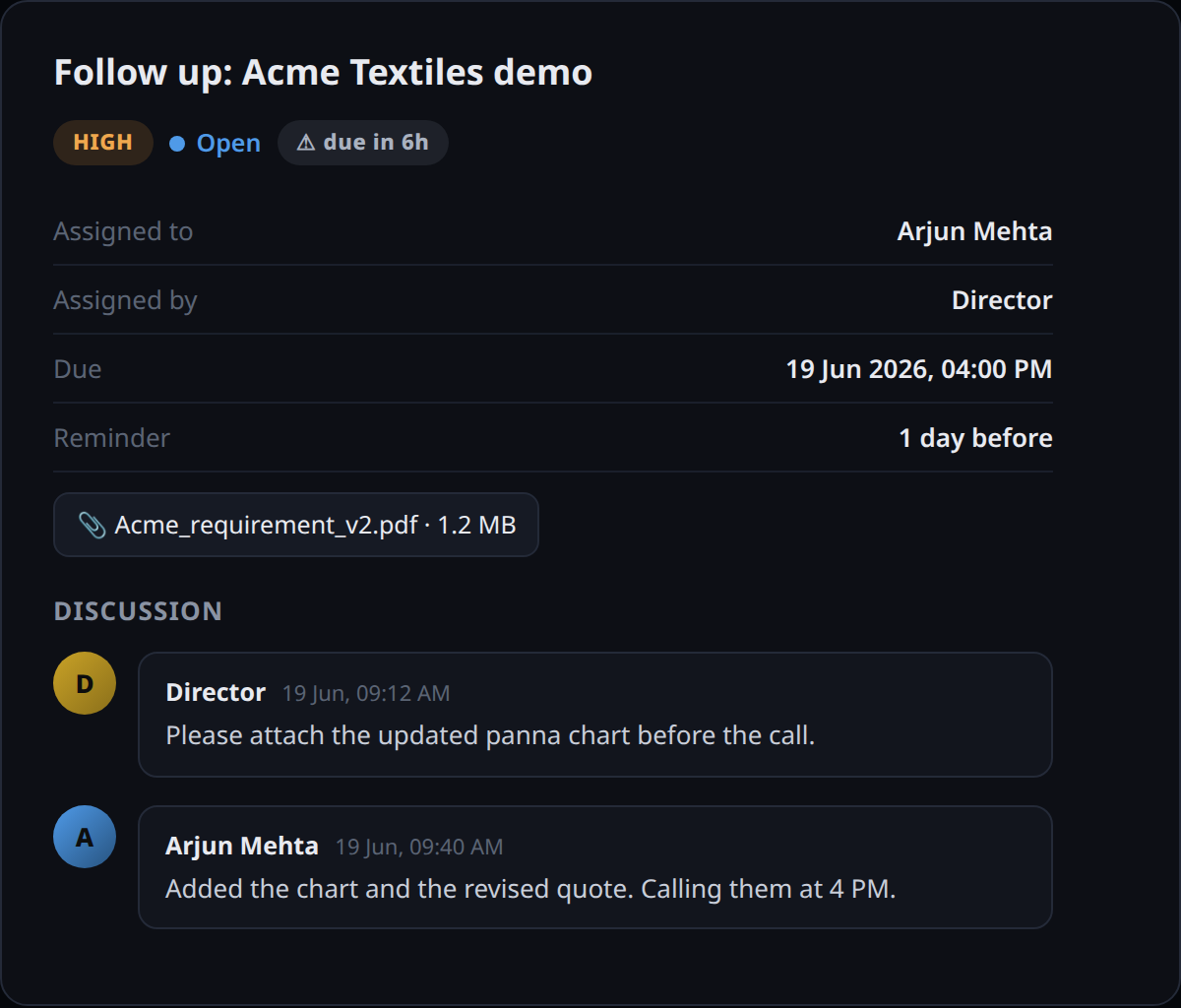
Discussion, files & status — all on the task.
Each task carries its own threaded discussion, attachments and full status history. No more scattered chats or lost files — the decision and the document live exactly where the work does.
- Threaded comments per task
- Attach documents, proofs and briefs
- Status, due and reminder at a glance
- Completion time & closer captured automatically
Never miss a deadline
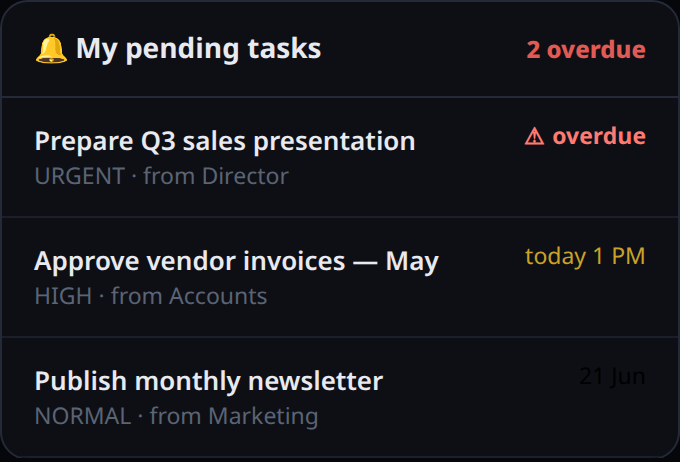
A bell that turns red when it matters.
A live notification bell shows everyone their pending tasks with an unread badge — and goes red the moment something is overdue. Behind it, a scheduler emails reminders before the deadline and an alert when a task slips, so accountability never depends on memory.
- Unread badge of pending tasks
- Red badge for overdue work
- Automatic reminder email before due
- Overdue alert email to the assignee
Everything included
Built for real teams.
Assign to anyone
Delegate to any team member, or grab it yourself with one tap. Every task has a clear owner and a clear originator.
Four priority levels
Low, Normal, High and Urgent — colour-coded so the team always knows what to tackle first.
Due dates & reminders
Set a due date and a reminder lead-time. The platform handles the rest — no manual chasing.
Automatic email alerts
Assignees are emailed on assignment, again before the deadline, and the moment a task turns overdue.
Recurring tasks
Mark a task monthly or yearly — completing it automatically spawns the next occurrence until you stop it.
Threaded discussion
Every task has its own comment thread, so context, decisions and updates stay with the work.
File attachments
Attach the brief, the proof or the document right on the task — no hunting through email.
Notification bell
A live bell with an unread badge surfaces everyone's pending tasks; it turns red when something is overdue.
Status workflow
Open → In Progress → Done (or Cancelled), with completion time and who closed it captured automatically.
My / Created / All views
Switch between what's assigned to you, what you delegated, and the whole team's board.
Search & filter
Find anything by title, details or assignee, and filter by status in a click.
Role-based access
A Designation × Module access matrix controls who can see and manage the task board.
Why it matters
Accountability, on autopilot.
Nothing slips
Reminders and overdue alerts mean no commitment is quietly forgotten — accountability is automatic.
One source of truth
Tasks, files and discussion live together, so the whole team works from the same context.
Less follow-up overhead
Managers stop chasing status updates — the board and the bell show it at a glance.
Effortless routine work
Recurring tasks run themselves, so repeating duties never need to be re-created by hand.